




Application Procedures and Steps for Transfer Students and Fee-paying Programs
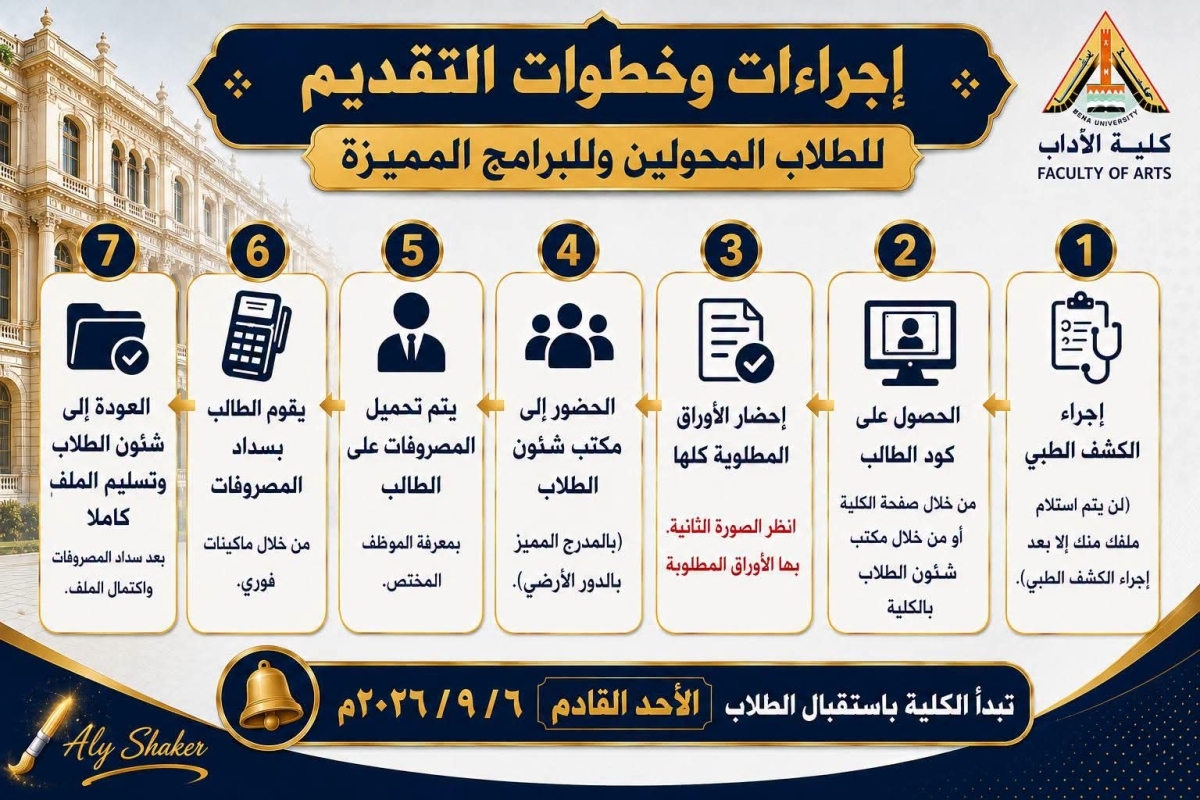
1- Undergo the medical examination (your file will not be received until you have completed the medical examination).
2- Obtain the Student Code through the college's website or from the Student Affairs Office at the college.
3- Access the Student Services Portal on the "Ibn Al-Haitham" platform: https://myu.bu.edu.eg/ (using your Student Code as the username and your National ID number as the password) and complete the following:
A- Upload an official 4 × 6 personal photo with a white background.
B- Select your university email address (university email).
C- Enter your preferences (academic placement) and print them to submit with the file.
D- Print the personal data page from your account on the "Ibn Al-Haitham" platform and submit it with the file, ensuring that it displays your name, Student Code, photo, and email address.
4- Go to the Student Affairs Office (at the designated lecture hall on the ground floor) to have the fees uploaded.
5- Pay the fees through Fawry machines (using the Student Code + University Code 78557).
5- Prepare all required documents.
6- Return to the Student Affairs Office and submit the complete file after completing all requirements and paying the fees.